


Functions that return only one value can feel restrictive when you actually need to hand back more than one result. Dart version 3 introduced records to make that easier. They let you group several values of any type into a single return value that still keeps its structure and type safety. Records bring a simple, predictable way to package related information and pass it around without having to define a new class or data holder every time.
Positional and Named Fields in Records
Records were added to Dart to bring structure to small groups of values that belong together but don’t need the overhead of a full class. They act as compact containers that can carry several fields with some ordered by position, others identified by name. This makes them handy when returning multiple results from a function or passing grouped data across parts of your code without losing type safety.
What a Record Is
A record is a value type that collects multiple pieces of data inside a single expression. Each field inside it can have its own type, and Dart enforces that structure just like it would for a class. Records can hold numbers, strings, booleans, or even complex objects.

That record holds a name, an age, and a flag. Each value can be accessed directly by position or, if you use named fields, by name. The record itself is immutable, which helps prevent unintended changes. You can assign it to a variable, pass it to a function, or return it as a result.
Records fit naturally into Dart’s type system. The compiler recognizes their shape, checks types, and allows you to destructure them. You can even declare their type explicitly for clarity.

The expression (String, int, bool) defines a record type with three positional fields. Dart enforces the order and the types, making your code safer without needing to define a class.
Records can also hold complex data such as lists or maps without losing type information. That makes them flexible for representing grouped details.
![var movie = ('The Lighthouse', year: 2019, ratings: [8.2, 8.5, 8.1]); print('${movie.$1} came out in ${movie.year} and has ${movie.ratings.length} ratings.');](https://substackcdn.com/image/fetch/$s_!wRGu!,f_auto,q_auto:good,fl_progressive:steep/https%3A%2F%2Fsubstack-post-media.s3.amazonaws.com%2Fpublic%2Fimages%2Ffef7defa-15ef-400e-b632-8d1e1b79b1af_1184x56.png "var movie = ('The Lighthouse', year: 2019, ratings: [8.2, 8.5, 8.1]); print('${movie.$1} came out in ${movie.year} and has ${movie.ratings.length} ratings.');")
Positional Fields Example
Positional fields are stored and accessed based on their order. They’re concise and well suited when the meaning of each field is clear from context, such as coordinates, sizes, or small grouped values.
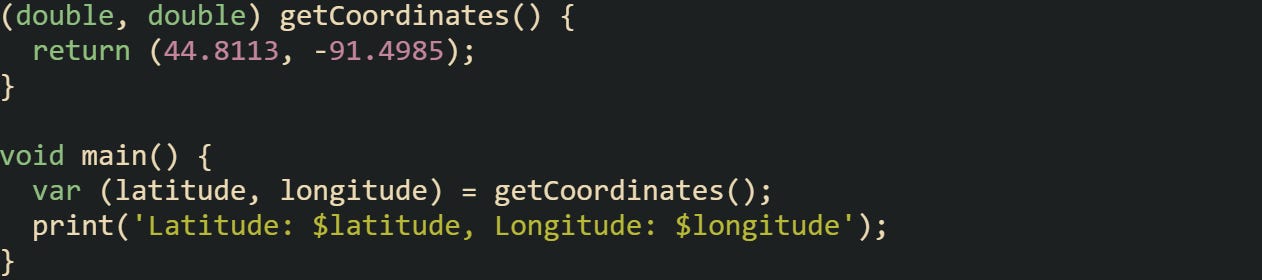
That function returns a pair of doubles representing a location near Eau Claire, Wisconsin. The destructuring syntax assigns the first value to latitude and the second to longitude.
You can also access fields directly through their positional getters:

Positional records are quick to write, but they work best when the order of fields is obvious. If you need more self-describing data, named fields give better clarity.
Using Named Fields
Named fields attach identifiers to each value so you don’t rely on position. That helps when the fields serve different purposes and you want the code to read naturally instead of relying on short, positional order.
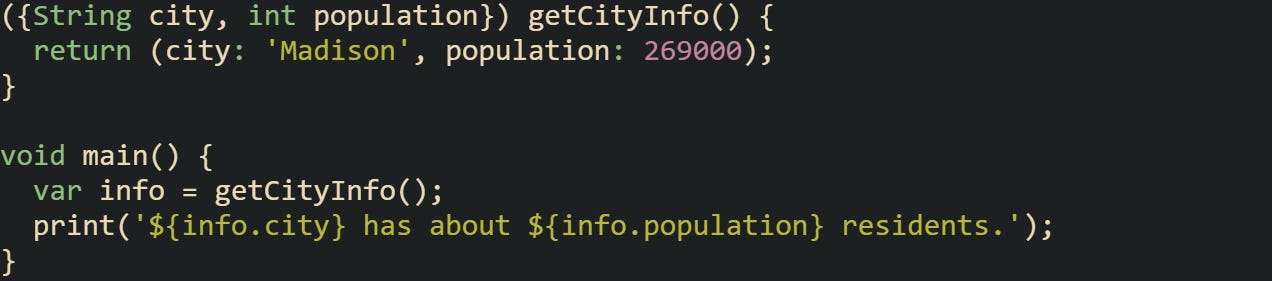
Here the record fields are named city and population. You can access them through the dot operator just like regular class properties. The structure stays immutable, and the compiler knows what types belong to each field.
Named records also make destructuring flexible:
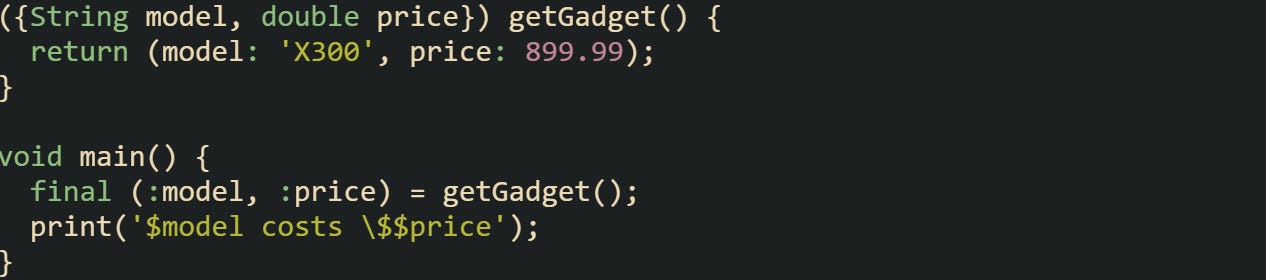
That syntax binds model and price directly to local variables, removing the need to reference the record object afterward. The labels make intent clear to anyone reading the code, even without documentation.
Mixing Positional and Named Fields
A record can combine both positional and named fields when you want a small set of fixed values alongside descriptive fields. Record types list positional fields first and then named fields inside curly braces, but when creating a record value you can mix positional and named fields in any order. Below (’Laptop’, stock: 25, available: true) and (stock: 25, available: true, ‘Laptop’) are valid.
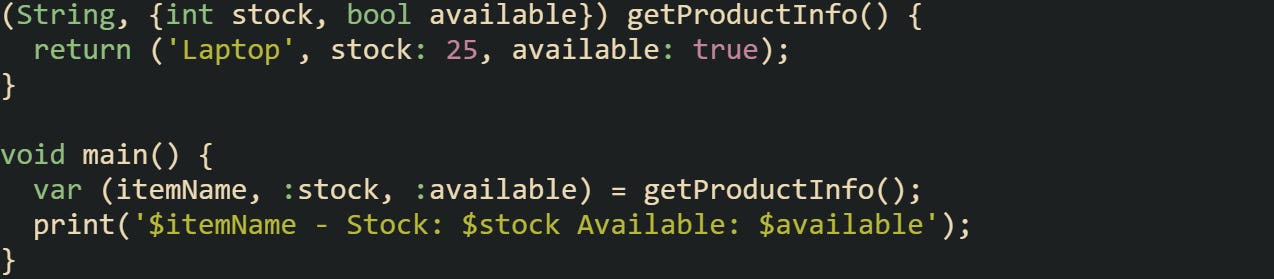
Here, the product name is positional, while stock and availability are named. The order of named fields doesn’t matter when returning or destructuring, but their names must match.
You can also keep the return value intact and access each part manually:

This gives freedom to mix concise tuples with descriptive names. It keeps code expressive while staying shorter than an equivalent class definition.
You can also unpack a record returned from another function and pass it directly into another without intermediate variables.
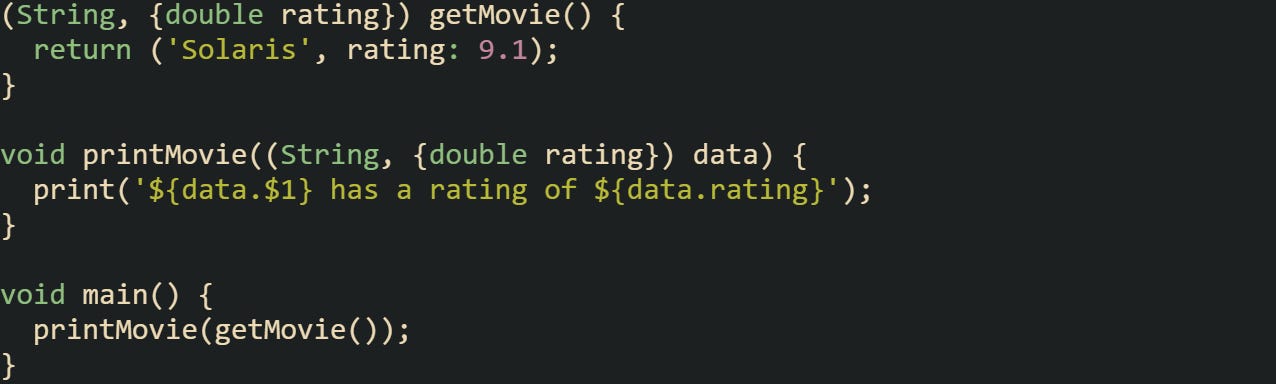
Records make it easier to model small, structured groups of values without writing extra boilerplate. Whether you prefer ordered fields for compactness or named ones for clarity, or a blend of both, Dart gives you the flexibility to express the relationship between values naturally.
Returning Structured Results from Functions
Records give functions a way to return structured results instead of a single value. They let you bundle related data into one return type, keeping type safety and meaning intact without adding the overhead of creating new classes or collections.
Returning Multiple Values via Records
A function in Dart can declare a record type as its return type. When that function executes, it sends back all the values packed inside one expression. This keeps function signatures expressive while avoiding extra boilerplate.
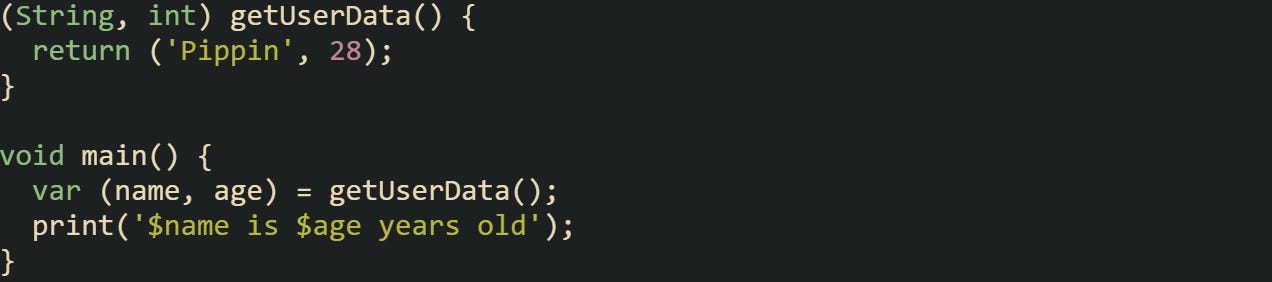
That function returns two values with distinct types, and the destructuring syntax extracts them immediately. The return type (String, int) tells both the compiler and future readers exactly what to expect.
Some cases call for returning more than just two values. Records allow you to include any number of fields, both positional and named.
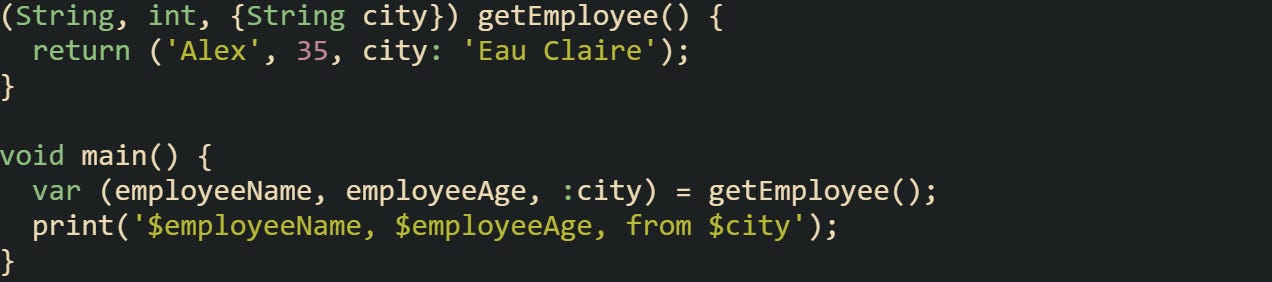
When you mix positional and named fields, it’s easy to group related values without writing an extra data class. The named field clarifies meaning while the positional ones stay concise.
Records also make code involving calculations more readable:
![(double, double, double) calculateStats(List<int> numbers) { var sum = numbers.reduce((a, b) => a + b); var avg = sum / numbers.length; var max = numbers.reduce((a, b) => a > b ? a : b); return (sum.toDouble(), avg, max.toDouble()); } void main() { var (sum, avg, max) = calculateStats([5, 10, 15]); print('Sum: $sum Average: $avg Max: $max'); }](https://substackcdn.com/image/fetch/$s_!TnDD!,f_auto,q_auto:good,fl_progressive:steep/https%3A%2F%2Fsubstack-post-media.s3.amazonaws.com%2Fpublic%2Fimages%2F681ca422-665e-4ef0-b702-b0d0d57f8714_1271x387.png "(double, double, double) calculateStats(List<int> numbers) { var sum = numbers.reduce((a, b) => a + b); var avg = sum / numbers.length; var max = numbers.reduce((a, b) => a > b ? a : b); return (sum.toDouble(), avg, max.toDouble()); } void main() { var (sum, avg, max) = calculateStats([5, 10, 15]); print('Sum: $sum Average: $avg Max: $max'); }")
Each field has meaning but you don’t have to define a type just to move them around. This approach keeps your intent front-and-center while staying fully type safe.
Comparing Records with Lightweight Classes
Before Dart 3, the common answer for returning several values was to create a lightweight class. It worked, but came with added structure that sometimes felt unnecessary for simple results. Records now provide an option for data that doesn’t need methods or inheritance.
A short class example helps visually show the difference:
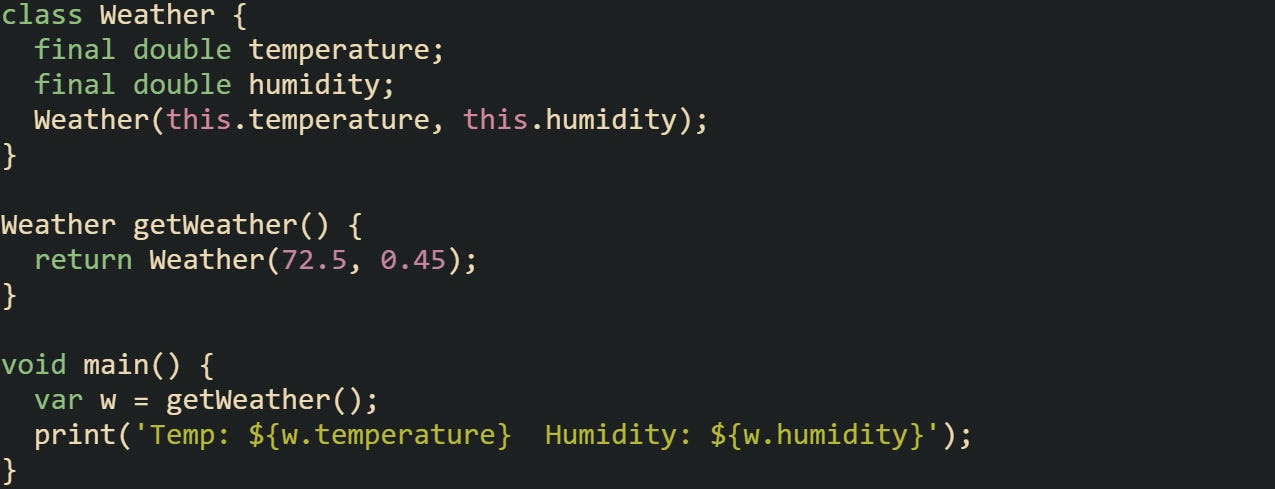
The class works, but you had to declare it, add a constructor, and reference its fields by name each time. A record pares that down.
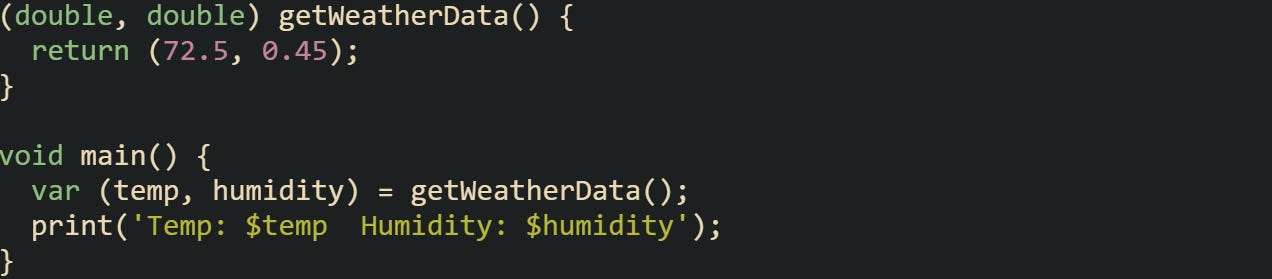
The public result looks the same, but a class defines its own type while a record’s type depends on its structure. Two positional records such as (int foo, String bar) and (int x, String y) share the same type and can be assigned to one another. Two named-field records with different names don’t match even if their field types are identical.
Classes create unique types you can name and reuse, but records rely on their structure for type identity. You can also use a typedef to give a record shape a readable alias if you want the code to look neater.
Records also help when a function’s return value is purely structural and temporary. If you’re working with data that only needs to travel between two points in your code, records handle it neatly without extra type declarations.
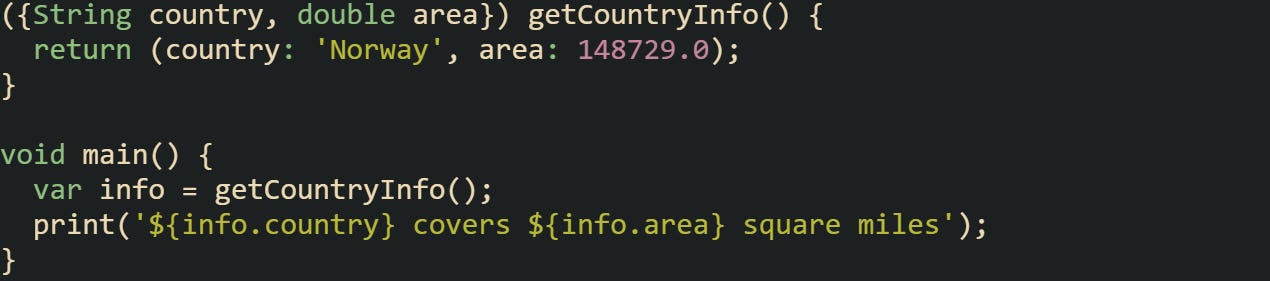
Named records like this bridge clarity and conciseness, giving enough context without the ceremony of a class. When your data grows or needs behavior later, moving to a class remains simple, but starting with a record keeps things lighter.
Equality and Destructuring Behavior
A feature that sets records apart is structural equality. Two records are considered equal when they have the same field layout and identical values. That means you’re comparing the content, not object identity.

Equality holds because both records have the same structure and values. The comparison checks fields directly, not memory references.
When named fields come into play, equality depends on both the names and their values matching.

Changing one field breaks equality. Even if two records hold identical data but have different field names, they’re treated as distinct types.

Destructuring also brings flexibility. It lets you unpack only what you care about without writing extra lines.
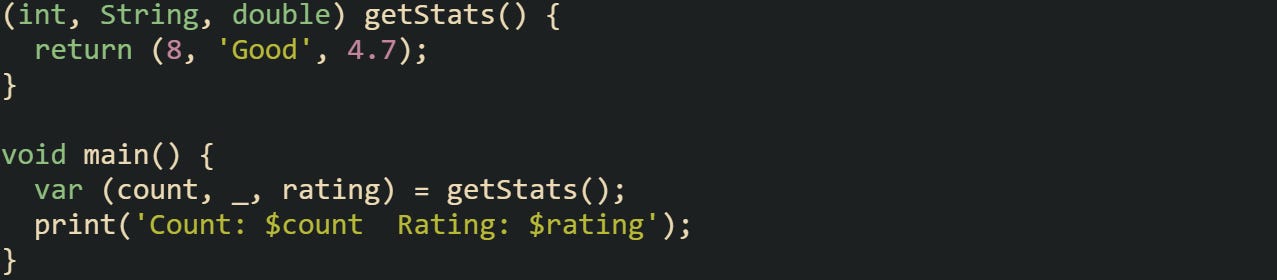
The underscore discards values you don’t need, keeping your variables tidy.
Records also play well with control structures. You can match and unpack values directly inside loops or conditionals.
![for (var (name, score) in [ ('Alex', 88), ('Kaitlyn', 91), ('Pippin', 77), ]) { print('$name scored $score'); }](https://substackcdn.com/image/fetch/$s_!0diX!,f_auto,q_auto:good,fl_progressive:steep/https%3A%2F%2Fsubstack-post-media.s3.amazonaws.com%2Fpublic%2Fimages%2F7262a1df-de92-4f4b-97a9-996fbd0ebd21_1276x245.png "for (var (name, score) in [ ('Alex', 88), ('Kaitlyn', 91), ('Pippin', 77), ]) { print('$name scored $score'); }")
Destructuring here makes the loop expressive and easy to read. Each iteration automatically unpacks the record’s fields into name and score.
Conclusion
Records in Dart make working with multiple return values feel natural. They hold related data in a single structure without the extra work of defining a class or juggling temporary lists. Each field keeps its own type and order, and the language handles equality and destructuring without extra effort from you. Their mechanics stay grounded in how Dart already works with strong typing, predictable behavior, and readable code. Records turn what used to take extra setup into something concise and reliable while keeping everything strongly defined.
"The result is identical". Not exactly. A Dart Data class creates an entirely unique type. Records are only managed by their apparent types. So a record (int foo, String bar) is absolutely equivalent and assignable to a (int x, String y).